
Released January 7, 2023 · Android 6.0+
Download Tachiyomi Version 0.14.3 | Android 6.0+ | Jan 7, 2023
Tachiyomi 0.14.3 came out on January 7, 2023, and it was one of the last big updates the Tachiyomi team shipped before the project ended a year later. Lead developer arkon tagged the release after 209 commits of work since v0.14.2, so this build carries far more than a quick bug fix. The Tachiyomi 0.14.3 changelog added a continue reading button, a library statistics screen and Kavita tracking, and the app still runs on phones as old as Android 6.0 Marshmallow. Below, you will find the full specs, all five APK files with their sizes and SHA-256 checksums, install steps, every major change and a look at how this version holds up in 2026.
- v0.14.3 APK
- Android 6.0+
- Jan 7, 2023
- 6 FAQs
Tachiyomi 0.14.3 APK
Old version · open-source manga reader for Android
- Version
- 0.14.3
- Released
- January 7, 2023
- Minimum Android
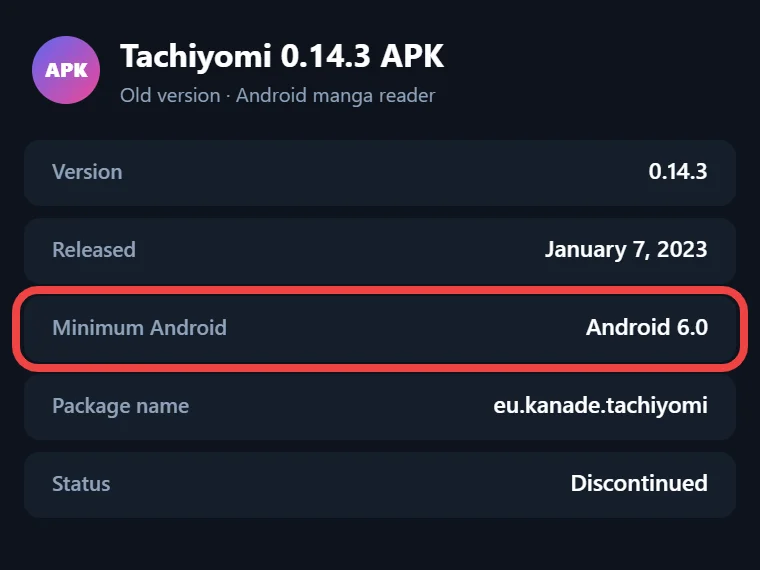
- Android 6.0
- Package name
- eu.kanade.tachiyomi
- Status
- Discontinued
APK details
Tachiyomi 0.14.3 Details
Every Android app has a few numbers that decide whether it will run on your phone, and the table below lists them for this build, taken from its source code.
| Detail | Value |
|---|---|
| App type | Manga reader app for Android |
| Version | 0.14.3 (version code 93) |
| Release date | January 7, 2023 |
| Developer | tachiyomiorg (lead developer arkon) |
| Package name | eu.kanade.tachiyomi |
| Minimum Android | Android 6.0 Marshmallow (API 23) |
| Target Android | Android 10 (SDK 29) |
| Minimum WebView | Android System WebView 105 |
| Extension lib | 1.2 to 1.4 |
| Universal APK size | 48.9 MB |
| License | Apache 2.0, open source |
The WebView line matters more than it looks, because this release raised the minimum from version 102 to 105, so update Android System WebView from the Play Store first if your old phone still runs an earlier copy.
Download
Download Tachiyomi 0.14.3 for Android 6.0+
The official GitHub release page for this version no longer exists, because the tachiyomiorg team archived the project when Tachiyomi shut down on January 13, 2024, and the old link now shows “Page not found.” That means every copy you can find today, including this one, comes from a mirror or an archive. Before you install anything, check the file’s SHA-256 checksum against the official values in the next table, since a matching checksum is the only real proof that nobody changed the APK after the team built it.
Tachiyomi 0.14.3 APK Files and Sizes
The team built this release with GitHub Actions and published five APK files, which all hold the same app but target different phone chips. Each file name ends with the version number, which makes them easy to tell apart.
| Variant | File | Size | SHA-256 |
|---|---|---|---|
| Universal | tachiyomi-v0.14.3.apk | 48.9 MB | c07dd9a1c3a2fbabbe7472b3afb7e4d3702164cca2fdfc47644c979a05e44dda |
| arm64-v8a | tachiyomi-arm64-v8a-v0.14.3.apk | 21.3 MB | 266556e6c139ab8a32d06a2c5e2d0ada872e11647a6a2343cdd0ba15d2bde778 |
| armeabi-v7a | tachiyomi-armeabi-v7a-v0.14.3.apk | 18.7 MB | 06f10836dae910cc1d86701d5fad57cb6cdf840ee4d6f294d846ee1d91558e8e |
| x86 | tachiyomi-x86-v0.14.3.apk | 22.6 MB | 26e0f668870ee0b6eb1c38fb5080e5bbf00ae07caeb0325c0442aa90e4dc0037 |
| x86_64 | tachiyomi-x86_64-v0.14.3.apk | 23.5 MB | 8df9bc9f00e1650122b35459e0373f4eaa1636f7b303379b17ad687b842620d1 |
To check a file, open any free checksum app on your phone, pick the APK you downloaded, choose SHA-256 and compare the result with the matching line above. If even one character is different, delete the file and get it from another source.
Which APK Should You Download?
You only need one of these files, and the right one depends on your phone’s chip. The arm64-v8a build fits almost every phone sold in recent years, so it suits most modern Samsung, Xiaomi and Pixel phones. The armeabi-v7a build is meant for older 32-bit phones that cannot run 64-bit apps, while the x86 and x86_64 builds suit emulators and some Chromebooks. If you are not sure which chip you have, the universal APK covers all of them, and its only downside is size, at 48.9 MB instead of roughly 20 MB.
Install guide
How to Install Tachiyomi 0.14.3 on Android
After your Tachiyomi APK download finishes, installing it works the same way as any app that comes from outside the Google Play Store.
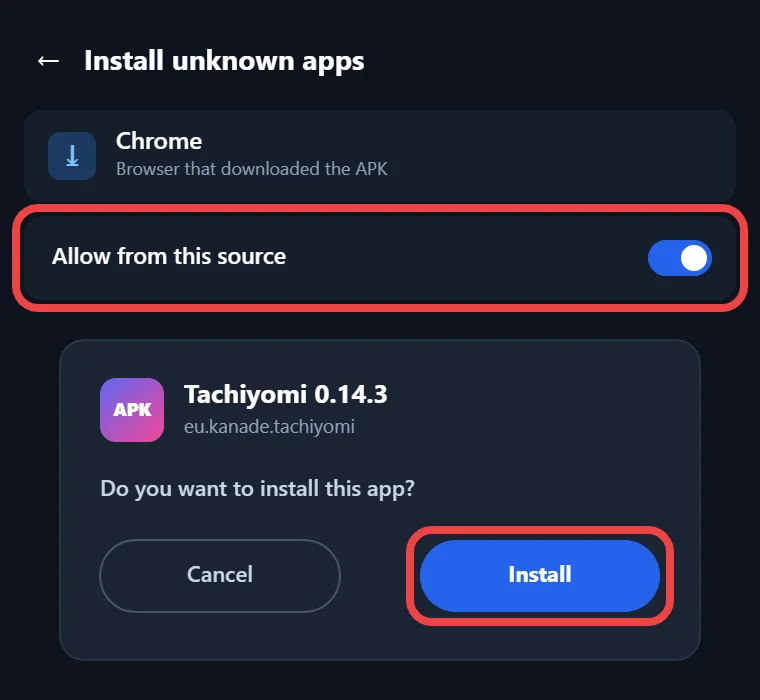
- Download the APK that matches your phone and check its SHA-256 checksum.
- Open the file from your browser’s downloads list or from your file manager.
- When Android blocks the install, tap Settings and allow that browser or file manager to install unknown apps. On Android 6.0 and 7.x, this is a single “Unknown sources” switch under Security.
- Go back, tap Install and open Tachiyomi once the install finishes.
- Update Android System WebView to version 105 or newer if the app warns you about it.
Xiaomi users need to watch for one extra problem, because this version shows a warning that extensions may fail to install while MIUI Optimization is turned on. You can switch it off in Developer options or install the extension from its website instead.
Features
Key Features of Version 0.14.3
Most of the 209 commits in this release went into fixes and code cleanup, but a handful of new features changed how people use the app every day. The four features below are the ones you will notice first, and each one comes from a contributor named in the official release notes, so you can see who built what and where to find each one in the app.
Continue Reading Button in the Library
The continue reading button adds a small play button to each manga cover in your library, and one tap opens the chapter you should read next. Contributor d-najd built it, and you can switch it on by opening Library, tapping the Filter sheet, going to the Display tab and turning on Show continue reading button. After that, you no longer have to open the manga page just to pick up where you stopped.
Library Statistics Screen
AntsyLich added a library statistics screen that you can open from More and then Statistics. The Overview part shows how many entries you have, how many are completed and your total read duration, while the Entries part counts titles in the global update, titles you have started and local titles. Below that, the Chapters part lists total, read and downloaded chapters, and the Trackers part shows your tracked entries, your mean score and how many trackers you use.
Kavita Tracker Support
ThePromidius added the Kavita tracker, which helps people who run their own Kavita server to host comics and manga at home. With this addition, the full tracker list in this version covers MyAnimeList, AniList, Kitsu, MangaUpdates, Shikimori, Bangumi, Komga and Kavita, so most readers can sync their progress with a service they already use instead of updating it by hand.
Invalidate Downloads Index and Shecan DNS
Chapters you downloaded sometimes stop showing as downloaded, and the new Invalidate downloads index option under More, Settings and Advanced fixes the problem by forcing the app to recheck every downloaded chapter on your storage. The same Advanced page also gained Shecan as a DNS over HTTPS provider, which sits next to Cloudflare, Google, AdGuard, Quad9, Mullvad and Control D and can help when your network blocks certain manga sites.
Changes
Behavior Changes in Tachiyomi 0.14.3
A few changes here affect daily habits more than features. The “Download complete” notification is gone, and the indexing downloads message now appears as a banner inside the app, so you can see why some downloaded entries have not shown up yet. Long-pressing a downloaded chapter icon now opens a menu instead of deleting the chapter, which prevents accidental deletions. Long-pressing the WebView button on a manga page copies its URL, WebView now lets you zoom on sites that allow it, and an empty category shows a clear message instead of a blank screen. The duplicate pinned sources setting was also removed.
Fixes
Bug Fixes in Tachiyomi 0.14.3
The bug fixes in this release focus on downloads, the library and tracking. On the download side, the team stopped chapters from being deleted by mistake, fixed naming for chapters with more than 1,000 pages, handled file names with more than one “.cbz” in them and fixed Local source JSON files not loading when a .noxml file existed. In the library, filtered selections now pick the right entries, reordering categories no longer crashes the app and clearing the database no longer freezes it. Tracking got attention too, since the app now handles expired MyAnimeList tokens, delayed tracking updates work again and MangaUpdates search hides novels and drama CDs. The Android 13 themed launcher icon also works properly now.
Who it’s for
Why Choose This Version
Mihon, the official successor to Tachiyomi, needs Android 8.0 or newer, so anyone still using a phone on Android 6.0 or 7.1 cannot install it. For those readers, Tachiyomi 0.14.3 is one of the few ways to keep reading on the device they already own, since Tachiyomi for Android 6.0 stayed fully supported until the project ended. It also makes sense to keep this Tachiyomi old version around if you want to open a previous backup or read manga stored in your Local source folder. If your phone runs Android 8.0 or newer, Mihon is the better pick.
2026 status
Does Tachiyomi 0.14.3 Still Work in 2026?
Tachiyomi 0.14.3 still installs and opens, but its biggest weakness today is extensions. Tachiyomi shut down on January 13, 2024, and Keiyoushi, the main extension store people use now, only supports Mihon 0.20.1 and newer, TachiyomiSY 1.13.2 and newer and Komikku 1.14.1 and newer. If you add the Keiyoushi store to this old build, you will only see placeholder entries named “Outdated App” and “Update to Mihon 0.20.1+”, which explains most reports of Tachiyomi extensions not working on old versions. Extensions you installed long ago may still load, since this version accepts extension lib 1.2 to 1.4, but nobody builds new updates for them anymore. The parts that still work well are the Local source, chapters you already downloaded and your existing library, which you can still read offline without any extension.
Move to Mihon
How to Move From Tachiyomi 0.14.3 to Mihon
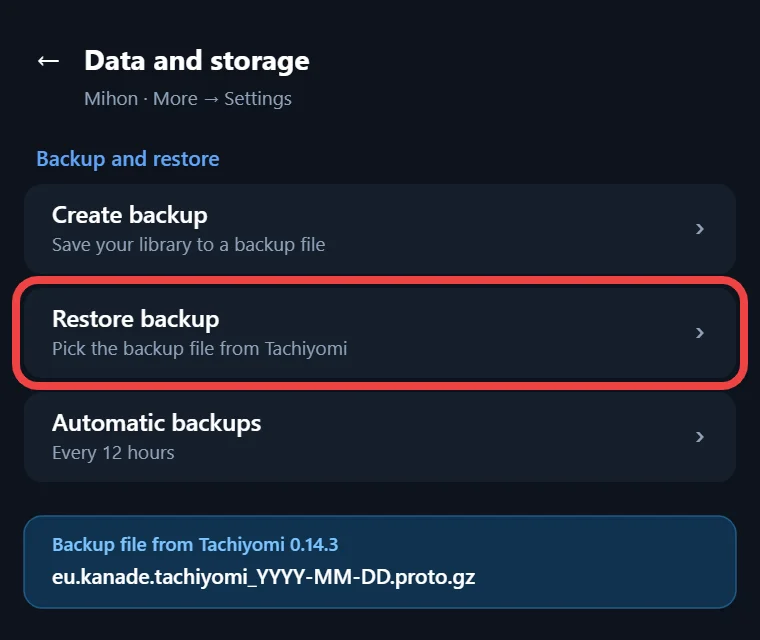
Moving your library to Mihon only takes one backup file and a few taps. In this version, open More, then Settings, then Backup and restore, and tap Create backup. The app saves a file with a name like tachiyomi_2026-10-24_10-30.proto.gz, and you should copy it to cloud storage or a computer so it stays safe. Next, install Mihon v0.21.2 on a phone with Android 8.0 or newer, open its settings, find the restore backup option and select that file. Once the restore finishes, add the Keiyoushi store inside Mihon so your sources get working extensions again.
FAQ
FAQs
1. When was Tachiyomi 0.14.3 released?
It was released on January 7, 2023, when lead developer arkon tagged it on GitHub, and it arrived 209 commits after version 0.14.2 from October 31, 2022.
2. Does Tachiyomi 0.14.3 work on Android 6.0?
Yes, because its minimum requirement is Android 6.0 Marshmallow, which is API 23, so it installs on Marshmallow phones and on newer Android versions too.
3. Is the Tachiyomi 0.14.3 APK safe?
It is safe when its SHA-256 checksum matches the official value, so always compare the file you downloaded with the checksum table above before you install it.
4. Why do extensions show “Outdated App”?
Keiyoushi now supports only Mihon 0.20.1+, TachiyomiSY 1.13.2+ and Komikku 1.14.1+, so old Tachiyomi builds only receive placeholder entries that tell you to update.
5. Why won’t extensions install on my Xiaomi phone?
MIUI Optimization can block extension installs, so turn it off in Developer options or install the extension APK from its website, which is what the app suggests.
6. Where is the statistics screen in Tachiyomi?
Open the More tab and tap Statistics to see your entries, chapters, read duration and tracker data, a screen that first arrived in this version.
Final thoughts
Final Thoughts
Tachiyomi 0.14.3 is worth installing if your phone is stuck on Android 6.0 or 7.1, or if you need an old build to open a backup or read your Local source files. Download the APK that fits your chip, check its SHA-256 checksum and keep your expectations realistic, since new extensions will not arrive for it. Anyone with Android 8.0 or newer should make a backup and move to Mihon instead.