
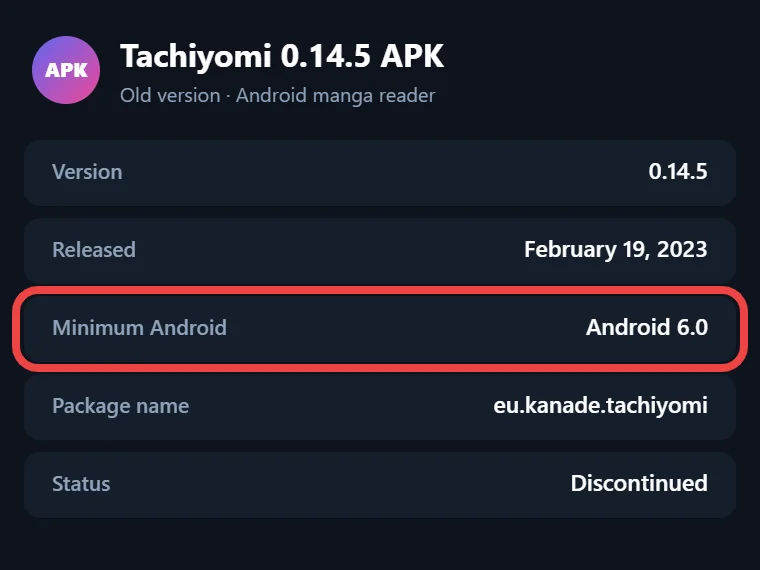
Released February 19, 2023 · Android 6.0+
Download Tachiyomi Version 0.14.5 | Android 6.0+ | Feb 19, 2023
Tachiyomi 0.14.5 is the open-source manga reader update that the Tachiyomi team released on February 19, 2023, and it runs on any phone with Android 6.0 Marshmallow or newer. This update brought no new tools, because its job was to fix the crashes and reader lag that came with version 0.14.4 two weeks earlier. Since Tachiyomi shut down on January 13, 2024, this build is now most useful for people whose older phones run Android 6.0 or Android 7.0 Nougat, where its successor Mihon will not install. This guide gives you the official Tachiyomi 0.14.5 APK files with their checksums, the real changelog and a clear picture of what still works today.
- v0.14.5 APK
- Android 6.0+
- Feb 19, 2023
- 6 FAQs
Tachiyomi 0.14.5 APK
Old version · open-source manga reader for Android
- Version
- 0.14.5
- Released
- February 19, 2023
- Minimum Android
- Android 6.0
- Package name
- eu.kanade.tachiyomi
- Status
- Discontinued
Download
Download Tachiyomi 0.14.5 for Android 6.0+
All five official builds are listed below, and each one is the same app packed for a different phone processor, so you only need one.
Most phones sold in recent years use a 64-bit chip, which makes the arm64-v8a APK the right pick for them, while older budget phones with a 32-bit chip need the armeabi-v7a file instead. The x86 and x86_64 builds are meant for Android emulators on a computer and a few Intel-based tablets. If you are unsure which chip your phone has, take the universal APK, because it packs every build into one larger file.
Verify Your APK With SHA-256 Checksums
A SHA-256 checksum is a long code that works like a fingerprint for a file, and the Tachiyomi team published one for every APK on its GitHub release page. Even a small change to a file gives it a different code, so matching codes prove your download is the untouched official build.
| APK | SHA-256 |
|---|---|
| Universal | 577414764808201e105914f002604b30e7007f99475c49ec7e4e653808dece28 |
| arm64-v8a | 869a24129c1598cdcb67b451964fcdf1c36faa2d5e5c7d245a4a7cc0ef7d1d63 |
| armeabi-v7a | abec6a62b0ccf6ee55886a269633a37c03d22f7f1e4f887864ec1af3885b43b9 |
| x86 | 050e04a1321bd7e47f1967eb44c93b6de052e5f9279026089fe14c0e0c305e6a |
| x86_64 | 1cc8fca6711fcf983f45d01dafd29d3fedd9f285b07a6e066991726ac5a0413e |
To check your file, open any free hash checker app, pick the downloaded APK and compare its SHA-256 result with the matching line above, and if the codes differ, delete the file and download it again.
Tachiyomi 0.14.5 App Details
The table below brings together the main details of this build, taken from its official release page and source code.
| Detail | Value |
|---|---|
| Version | 0.14.5 (version code 98) |
| Release date | February 19, 2023 |
| Developer | arkon, on the app created by inorichi |
| Minimum Android | Android 6.0 Marshmallow (minSdk 23) |
| Target Android | Android 10 (SDK 29), compiled with Android 13 |
| Package name | eu.kanade.tachiyomi |
| License | Apache License 2.0 |
| Price | Free and open source |
| File type | APK |
| Builds | Universal, arm64-v8a, armeabi-v7a, x86, x86_64 |
Features
Key Features of Version 0.14.5
This release was a patch built from 13 commits added after version 0.14.4, and every one of those commits went toward fixing problems rather than adding new screens. Here is what the Tachiyomi 0.14.5 changelog lists, explained in plain words:
- Large cover crash fixed: opening a big cover image could close the app, so ivaniskandar turned off the memory cache in the cover dialog to stop it from happening.
- Category crash fixed: the library crashed when the category you had selected was deleted, and 0x7673 fixed that problem.
- Reader error fixed: with the “skip duplicate chapters” option turned on, the reader sometimes failed to open, so this build now looks for the chapter you picked before removing duplicates.
- Less reader lag: loading the next chapter in advance used to slow down page turns, so that work now runs on a background thread.
- Interface fixes: ivaniskandar fixed extra padding on the download queue button and the position of the small snackbar messages at the bottom of the screen.
- Other crash fixes: arkon and ivaniskandar stopped crashes that happened when opening Browse with an unavailable source, when opening links into the app, when a source did not support chapter URLs and when WebView could not build request headers.
Features Carried Over From 0.14.4
Since this build only fixed bugs, the newer tools you will find inside it arrived with version 0.14.4 on February 5, 2023. That update added the “Skip duplicate chapters” option under More → Settings → Reader, showed the scanlator name on the transition pages between chapters and let you mark partly read chapters as unread from the Updates screen. It also added Suwayomi as a tracker next to MyAnimeList, AniList, Kitsu and Shikimori, started accepting uncompressed .proto backup files during a restore and dropped support for extensions built on extension library v1.2.
Install guide
How to Install Tachiyomi 0.14.5
Tachiyomi is not available on the Google Play Store, so you install it by hand from the APK file, which takes about a minute.
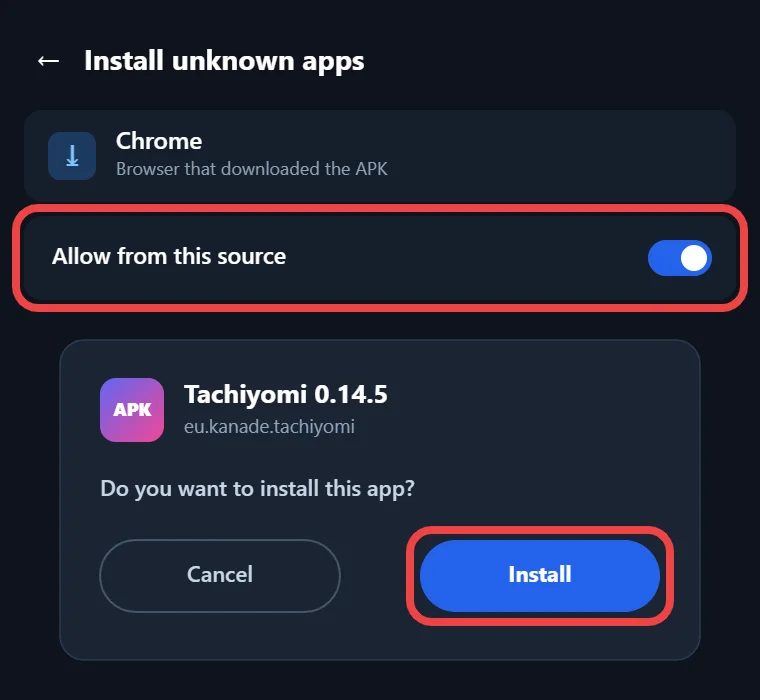
- Download the APK that matches your phone from the section above, then check its SHA-256 checksum.
- Allow installs from outside the Play Store, which on Android 8.0 and newer means giving your browser or file manager the “Install unknown apps” permission, while on Android Marshmallow and Nougat you turn on “Unknown sources” in the Security settings.
- Open the downloaded file from your notification bar or Downloads folder and tap Install.
- If Google Play Protect warns you about an unknown app, choose the option to install anyway, because this warning shows up for any app that does not come from the Play Store.
- Open the app and allow storage access when it asks, since the 0.14.x versions need access to all files to save downloads, backups and Local source manga.
2026 status
Do Extensions Work on Tachiyomi 0.14.5?
Extensions are the small add-on apps that connect Tachiyomi to manga websites, and this is where Tachiyomi 0.14.5 runs into real trouble today. The app is built to fetch its extension list from the tachiyomiorg/tachiyomi-extensions repository on GitHub, with a jsDelivr mirror as a backup, but that repository was deleted after the project ended and now returns a 404 error. On a fresh install the Extensions tab stays empty, which explains most reports of Tachiyomi extensions not working, and there is no setting to add another repository, since custom repos came in later versions.
It can still load extension APKs that you install yourself, as long as they were built on extension library 1.3 or 1.4, although unofficial ones have to be trusted by hand. Keiyoushi, the main extension source today, only supports Mihon 0.20.1+, TachiyomiSY 1.13.2+ and Komikku 1.14.1+, so its current extensions are not made for this build. What keeps working is the Local source, your downloaded chapters, your library and categories, your reading history and your tracker links.
Compare
Tachiyomi 0.14.5 vs 0.14.4 vs 0.14.6
This version sits between two other releases from early 2023, and the table below shows how the three of them compare on release date, type of update and main change.
| 0.14.4 | 0.14.5 | 0.14.6 | |
|---|---|---|---|
| Release date | Feb 5, 2023 | Feb 19, 2023 | Apr 16, 2023 |
| Update type | New features and fixes | Bug fixes only | Bug fixes and one behavior change |
| Main change | Skip duplicate chapters and Suwayomi tracking | Crash and reader lag fixes | Shikimori crash fix and automatic library updates turned off by default |
If you need the later tracker fixes, our Tachiyomi 0.14.6 guide covers that release, while the 0.14.4 page explains the features this build inherited from it.
Who it’s for
Why Choose This Version
The best reason to pick Tachiyomi 0.14.5 is that it removes the crashes and reader lag that came with 0.14.4, which matters most to people who need a working Tachiyomi for Android 6.0 or Android 7.0 Nougat. Mihon, the project that carried Tachiyomi forward, needs Android 8.0 Oreo or newer, so owners of older phones and tablets have to stay with a Tachiyomi old version if they want this kind of manga reader APK. It also works well as an offline reader for manga files you keep on your phone through the Local source. If your phone runs Android 8.0 or later, though, Mihon v0.21.2 is the better choice, because it still gets updates and works with Keiyoushi extensions.
Moving Your Library to Mihon Later
When you get a newer phone, your library can move to Mihon instead of starting over. Begin by creating a backup in Tachiyomi, which saves a .proto.gz file with your library, chapters, categories, history, tracking and settings. Then install Mihon, which sits next to Tachiyomi because it uses a different package name, and complete the Tachiyomi backup restore under More → Data and storage. After that, add the Keiyoushi store, reinstall your extensions and log in to your trackers again, since backups do not carry extensions, downloaded chapters or custom covers, then move old downloads into Mihon’s “downloads” folder and tap Reindex downloads.
FAQ
FAQs
1. Is the Tachiyomi 0.14.5 APK safe to download?
Yes, as long as your file matches the official SHA-256 checksum in the table above, because a matching code proves it is the same open-source build that the Tachiyomi team published on GitHub.
2. Why is my extension list empty in Tachiyomi 0.14.5?
The app looks for extensions in the old tachiyomiorg repository, which was deleted after the shutdown, and this version has no option to add a newer repository such as Keiyoushi.
3. Can I use Tachiyomi 0.14.5 on Android 6.0 or 7.0?
Yes, its minimum is Android 6.0 (minSdk 23), which makes it a good fit for older phones that cannot install Mihon, since Mihon needs Android 8.0 or newer to run.
4. Which APK should I choose: arm64-v8a, armeabi-v7a or universal?
Choose arm64-v8a for most modern phones and armeabi-v7a for older 32-bit phones, and take the universal APK whenever you are unsure, because it works on every supported chip.
5. Will my backup work in Mihon?
Yes, Mihon restores the .proto.gz backups made by this version as well as newer .tachibk files, although you will need to reinstall extensions and move your downloaded chapters yourself.
6. Can I install Mihon without uninstalling Tachiyomi?
Yes, both apps can stay on the same phone, because Mihon uses the package name app.mihon while Tachiyomi uses eu.kanade.tachiyomi, so Android treats them as two separate apps.
Final thoughts
Final Thoughts
Tachiyomi 0.14.5 is a small but useful patch from February 19, 2023 that fixed cover crashes, category crashes and reader lag for phones on Android 6.0 and up. Download the APK that fits your phone, check its checksum before installing it and use it for local manga and your saved library, then switch to Mihon once your phone runs Android 8.0 or newer, where Keiyoushi extensions still get support.