
Released April 16, 2023 · Android 6.0+
Download Tachiyomi Version 0.14.6 | Android 6.0+ | Apr 16, 2023
Tachiyomi 0.14.6 is a bug-fix release of the free, open-source manga reader app for Android, and arkon, the lead developer of Tachiyomi, tagged it on GitHub on April 16, 2023. Many download sites list it with a 2025 date, but that date is wrong, because the Tachiyomi project shut down on January 13, 2024, and no new versions came out after that. The full code history now lives in the Mihon repository, which is where the release tag and every change in this build can still be checked. This page gives you the real Tachiyomi 0.14.6 changelog, the APK details, the install steps and a clear answer about extensions, so you know what to expect before you put this old version on your phone.
- v0.14.6 APK
- Android 6.0+
- Apr 16, 2023
- 6 FAQs
Tachiyomi 0.14.6 APK
Old version · open-source manga reader for Android
- Version
- 0.14.6
- Released
- April 16, 2023
- Minimum Android
- Android 6.0
- Package name
- eu.kanade.tachiyomi
- Status
- Discontinued
Download
Download Tachiyomi 0.14.6 for Android 6.0+
You can download Tachiyomi 0.14.6 from the button below, and the file installs on any phone or tablet running Android 6.0 Marshmallow or newer.
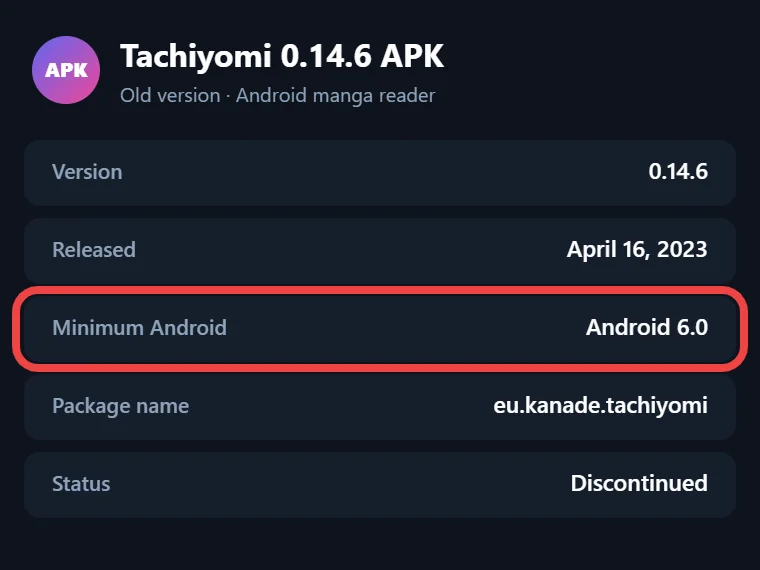
The APK linked here is the original v0.14.6 release build with the package name eu.kanade.tachiyomi, so nothing inside it has been changed or modded. Tachiyomi was always free and open source under the Apache 2.0 licence, which means there is no paid version to buy, and any site offering a “mod” copy is handing you a file you cannot trust. Before you install it, keep in mind that this build stopped getting updates in 2023, so it has no security fixes and its built-in extension list no longer loads, a problem explained in full further down this page.
Tachiyomi 0.14.6 APK Details
These details come from the app’s own build files at the v0.14.6 tag in the Mihon repository on GitHub, so you can match them against any APK you find. If the version code or package name differs, it is not the original release.
| Detail | Value |
|---|---|
| App name | Tachiyomi |
| Version | 0.14.6 (version code 101) |
| Package name | eu.kanade.tachiyomi |
| Minimum Android | Android 6.0 Marshmallow (API 23) |
| Target SDK | 29 |
| Release date | April 16, 2023 |
| Developer | arkon and the Tachiyomi team |
| Licence | Apache 2.0, free |
Changelog
What Changed in Tachiyomi 0.14.6 (Full Changelog)
Version 0.14.6 came out about two months after v0.14.5, which was tagged on February 19, 2023, and it adds 16 commits on top of that release. Almost all of those 16 commits fix crashes or small annoyances, so this update is about making the app hold up better in daily use rather than adding new screens or features.
Crash Fixes
Most of the work in this release went into stopping crashes that could close the app without warning. Before v0.14.6, a broken or badly built extension package could crash Tachiyomi while it loaded, and now the app skips that package and keeps running. The library settings sheet also crashed now and then when opened, and that bug is gone. Two more crashes were fixed where a missing source used to cause trouble, namely the dialog for deleting manga from your library and the source settings screen, which now opens safely even when the source can’t load. The biggest fix covers network errors, because a failure inside OkHttp, the code Tachiyomi uses to talk to manga sites, no longer brings down the whole app.
Library and Reader Changes
The change most people notice first is that automatic library updates are now off by default, while older versions checked your whole library every 24 hours, so new installs stay quiet until you pick an interval yourself. In the reader, your progress is now saved when you jump to the next or previous chapter, so you no longer lose your place. The download queue also shows the right page count after a fix in pull request #9126, and the manga details screen now tells you clearly when a manga’s source is not installed instead of showing a confusing error. The Migrate dialog buttons handle long text better, and the image viewer library got updated.
Tracker, Language and WebView Updates
Tracker sync got smarter, because a delayed update now sends the last chapter number you actually read while it waited in the queue, which keeps MyAnimeList, AniList and other trackers in line with your real progress. The Shikimori tracker moved to its new shikimori.me domain in change #9333, and Spanish (Latin America) is back in the in-app language list after going missing. On the web side, the default user agent now copies Firefox 110 instead of Firefox 108, and the minimum Android System WebView version went up from 105 to 108, which helps sites that block old browsers load the way they should.
Features
Key Features of Tachiyomi Version 0.14.6
This build keeps every core feature that made Tachiyomi the best-known manga reader app for Android, and all of them work without making an account. Your library holds every series you follow, and you can sort it into categories such as Reading, Completed or Plan to Read so a long list stays easy to manage. Offline manga reading works by downloading chapters to your phone, which helps on trains, on flights or anywhere with a weak signal. The reader gives you paged modes for left-to-right and right-to-left manga, a vertical mode, and a long-strip mode made for webtoons. Tracking links your reading to MyAnimeList, AniList, Kitsu, MangaUpdates and Shikimori, so your lists update while you read. Global search looks through all of your installed sources at once, the built-in WebView lets you open a source’s site to pass a Cloudflare check or log in, and backup and restore saves your library, categories and reading history in a single file.
Requirements
Tachiyomi 0.14.6 System Requirements
This is Tachiyomi for Android 6.0 Marshmallow and newer, because the app’s minimum SDK level is 23, which matches Marshmallow. You also need Android System WebView 108 or later, since that is the lowest version the app accepts and sites behind Cloudflare often fail on an older WebView, so update it from the Google Play Store first. Every extension must be built on extension library 1.3 or 1.4, and the app will not load anything outside that range. Finally, leave some free storage for downloaded chapters, because offline reading can take up a lot of space when you save whole series.
Install guide
How to Install Tachiyomi 0.14.6 APK
Installing Tachiyomi 0.14.6 takes only a couple of minutes, but because the file comes from outside the Google Play Store, Android asks you to allow it once before the install can start, and the exact setting depends on your Android version.
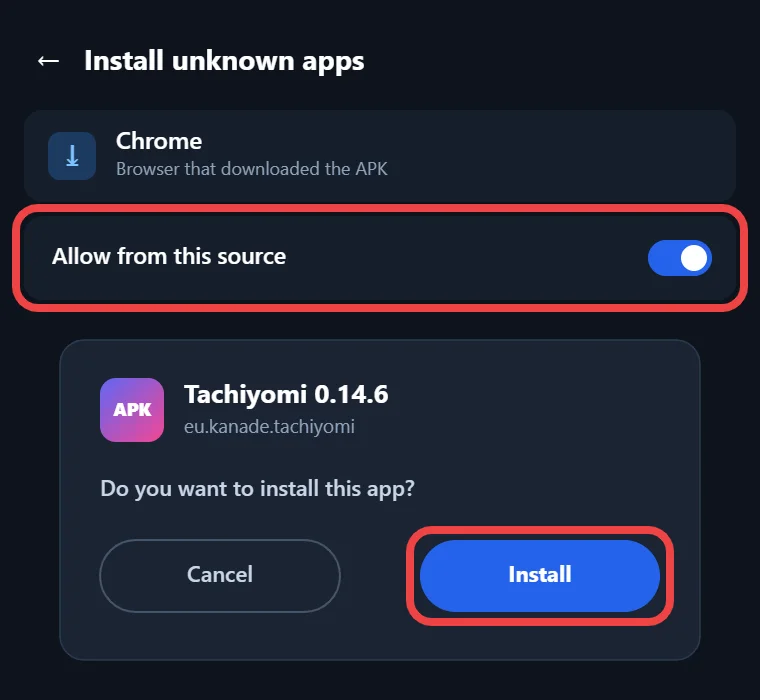
Step-by-Step Installation
- Download the APK from the button at the top of this page and wait for the download to finish.
- Allow installs from outside the Play Store. On Android 6.0 and 7.1, open Settings, go to Security and turn on Unknown sources, while on Android 8.0 Oreo and newer, your phone asks you to allow “Install unknown apps” for your browser or file manager when you open the file.
- Open the downloaded file from your notifications or your Downloads folder, and then tap Install.
- If Google Play Protect warns you about an unknown app, read the message and choose to install anyway only if the file came from a source you trust.
- Open Tachiyomi and allow storage access when it asks, because the app needs it to save downloaded chapters and backups.
- After the welcome screens, open More → Settings → Library and pick an update interval, since automatic updates start turned off in this version.
How to Check Your APK Is the Real One
Fake copies of old apps are common, and spam pages still push a “mod” version of this release that claims to make everything free. After installing, open Settings → Apps → Tachiyomi → App info and confirm the version shows 0.14.6, then check that More → About shows the same number. The package name must be eu.kanade.tachiyomi, which a package viewer app can show. If a file asks for strange permissions, shows ads or claims to add premium features, delete it, because the real app never had any of those. Mihon uses its own package name, so installing this APK will not replace or touch an existing Mihon setup.
2026 status
Do Extensions Still Work in Tachiyomi 0.14.6?
Not on a fresh install, because this version can pull extensions from only one place, and that place is gone. The app has the old official list at raw.githubusercontent.com/tachiyomiorg/tachiyomi-extensions written into its code, with a backup copy on jsDelivr, and both stopped working after the shutdown on January 13, 2024. In October 2026 that address returned a 404 error, which is why the Extensions tab shows an empty list and why so many people search for “Tachiyomi extensions not showing”. The app also has no setting for adding a different extension repo, so you cannot point it at Keiyoushi. Even if you could, Keiyoushi supports only Mihon 0.20.1+, TachiyomiSY 1.13.2+ and Komikku 1.14.1+, and old apps that add it see nothing but “Outdated App” and “Update to Mihon 0.20.1+” placeholder entries. Extensions that are already installed keep working until their sites change, and you can still sideload extension APKs by hand, as long as each one is built on library 1.3 or 1.4. Extensions built for Mihon today use a newer library, so they will not load here.
Who it’s for
Why Choose This Version
Tachiyomi 0.14.6 makes the most sense for people whose phones are stuck on Android 6.0 Marshmallow or Android 7.1 Nougat. Mihon, the official successor to Tachiyomi, needs Android 8.0 Oreo or newer, so on those older phones a Tachiyomi old version like this one is one of the few ways to keep reading with the same layout and tools. It also suits anyone who already has v0.14.6 set up with working extensions and wants the exact same build on a second device, or anyone comparing it with v0.14.5 and v0.14.7. On the other hand, it is a poor choice for a brand-new setup on a modern phone, because it gets no security fixes, its extension list is offline, and unmaintained extensions break as soon as their sites change. If your phone runs Android 8.0 or newer, Mihon with the Keiyoushi extension store is the better pick.
Compare
Tachiyomi 0.14.6 vs Mihon
Choosing between Tachiyomi vs Mihon mostly comes down to your Android version, because both apps grew from the same code, but only Mihon is still being built and updated. The table below shows which one fits your phone.
| Tachiyomi v0.14.6 | Mihon | |
|---|---|---|
| Status | Abandoned since the January 13, 2024 shutdown | Active, latest v0.21.2 (October 13, 2026) |
| Minimum Android | 6.0 Marshmallow | 8.0 Oreo |
| Extensions | Built-in list offline (404), sideload library 1.3–1.4 only | Add the Keiyoushi extension store |
| Security fixes | None since 2023 | Yes, with each release |
| Price | Free and open source | Free and open source |
Mihon ships no extensions of its own either, so on both apps your reading sources come from a separate repo that you add or install yourself, but only Mihon can still reach one.
Move to Mihon
How to Move Your Library from Tachiyomi 0.14.6 to Mihon
You can move your whole library from v0.14.6 to Mihon with one backup file, as long as the new phone runs Android 8.0 or newer. The backup carries your manga, categories, reading history and tracker links.
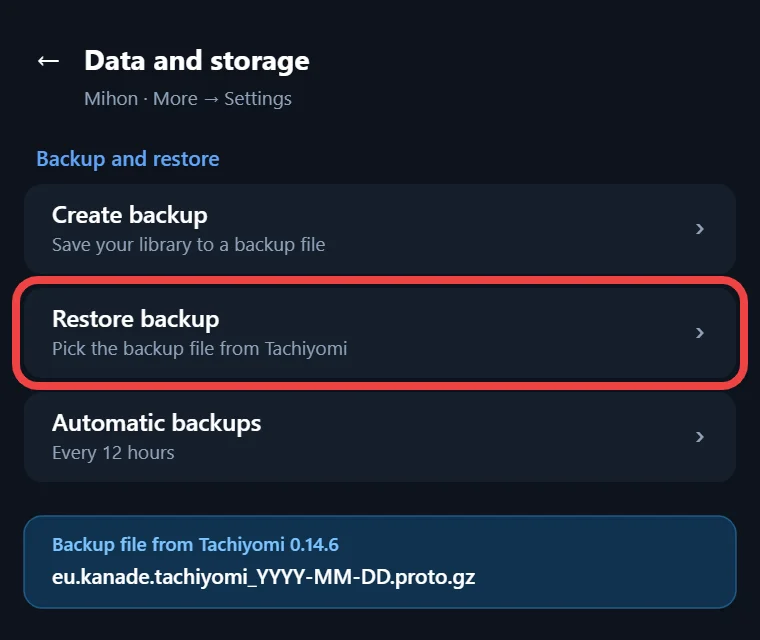
- In Tachiyomi, open More → Settings → Backup and restore, tap Create backup, and save the file somewhere you can reach.
- Install Mihon, open More → Settings → Data and storage → Restore backup, and pick your file.
- Add the Keiyoushi extension store and install the extensions your manga used.
- Open Browse → Migrate to move any manga whose old source is missing over to a working one.
Mihon v0.21.0 is the last major version that can read old Tachiyomi backups and extensions, so when you migrate Tachiyomi to Mihon, restore your backup on a 0.21.x release.
More versions
Other Tachiyomi Versions
If Tachiyomi 0.14.6 is not the build you need, the releases on either side of it are easy to reach from here, and each page lists the real GitHub tag date. Tachiyomi v0.14.5, tagged on February 19, 2023, is the release this update fixed, while v0.14.7 followed on October 25, 2023. The 0.15 series arrived in January 2024, close to the shutdown date, so those builds are the newest Tachiyomi releases you can find.
- Download Tachiyomi v0.14.5 (Feb 19, 2023)
- Download Tachiyomi v0.14.7 (Oct 25, 2023)
- Download Tachiyomi v0.15.0 to v0.15.3 (Jan 2024)
FAQ
FAQs
1. Is Tachiyomi 0.14.6 safe to download?
It is safe when you get the original build, which shows the package name eu.kanade.tachiyomi and version 0.14.6 in App info. Skip any “mod” or cracked copy from a random site, and keep in mind that this version has not had a security fix since 2023.
2. Why are no extensions showing in Tachiyomi 0.14.6?
The app reads extensions only from the old tachiyomiorg repo, which now returns a 404 error, and it has no option for adding another repo. Extensions you installed earlier still work fine, and you can sideload APKs built on extension library 1.3 or 1.4.
3. Does Tachiyomi 0.14.6 work on Android 6 and 7?
Yes, because its minimum SDK level is 23, which is Android 6.0 Marshmallow, so it installs on Android 6.0, 7.1 Nougat and newer. That makes it a practical choice for older phones that cannot update, since Mihon needs Android 8.0 Oreo or newer.
4. Is Tachiyomi 0.14.6 the same as Aniyomi 0.14.6?
No, they are different apps. Aniyomi is a separate fork built for anime by a different team, and it also released builds numbered 0.14.6 in late 2023. Its version numbers do not follow Tachiyomi’s releases, so check the app name before you download a file.
5. Why did my library stop updating automatically?
Version 0.14.6 changed the default for automatic library updates from every 24 hours to off. Open More → Settings → Library and choose a new update interval, and the app will start checking the manga in your library for new chapters in the background again.
6. Can I install Tachiyomi 0.14.6 next to Mihon?
Yes, on phones running Android 8.0 or newer, because the two apps use different package names and do not replace each other. Each app keeps its own separate library, so use a backup file whenever you want the same manga in both of them.
Final thoughts
Final Thoughts
Tachiyomi 0.14.6 is a small bug-fix release from April 2023 that cut down on crashes, saved reading progress more reliably and turned automatic library updates off by default. It still runs on Android 6.0 and 7.1 phones, which makes it a practical pick when Mihon cannot be installed, as long as you accept that it gets no security fixes and cannot load extensions from its old repo. If your phone runs Android 8.0 Oreo or newer, the better move is to back up your library, restore it in Mihon and add the Keiyoushi extension store, since that setup keeps getting updates.