
Released February 5, 2023 · Android 6.0+
Download Tachiyomi Version 0.14.4 | Android 6.0+ | Feb 5, 2023
Tachiyomi 0.14.4 is a February 5, 2023 release of the open-source manga reader for Android, and it was published by arkon, the lead developer behind the tachiyomiorg project. The project was shut down less than a year later, so this build will never get another update, yet many readers still look for it because it runs on phones as old as Android 6.0 Marshmallow. In this guide, you will find the real specs, the right APK for your phone, simple install steps, and a clear look at what still works in 2026. If your phone is new enough, we also show you how to move from Tachiyomi 0.14.4 to Mihon without losing your library.
- v0.14.4 APK
- Android 6.0+
- Feb 5, 2023
- 5 FAQs
Tachiyomi 0.14.4 APK
Old version · open-source manga reader for Android
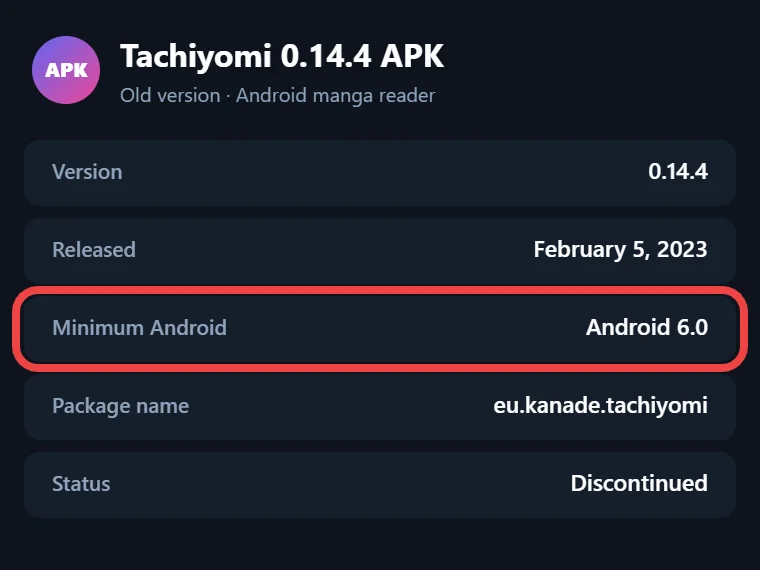
- Version
- 0.14.4
- Released
- February 5, 2023
- Minimum Android
- Android 6.0
- Package name
- eu.kanade.tachiyomi
- Status
- Discontinued
APK details
Tachiyomi 0.14.4 Quick Specs
These details come straight from the app’s own source code and its GitHub release tag, so you can compare them with your phone and pick the right file before you download anything.
| Detail | Value |
|---|---|
| Version | 0.14.4 (versionCode 95) |
| Release date | February 5, 2023 |
| Developer | arkon, tachiyomiorg |
| Package name | eu.kanade.tachiyomi |
| Minimum Android | Android 6.0 Marshmallow (API 23) |
| Target Android | Android 10 (API 29) |
| Compile SDK | Android 13 (API 33) |
| APK files | arm64-v8a, armeabi-v7a, x86, x86_64, universal |
| File size | [FILE SIZE] |
| Official APK host | None left, the main repository was taken down |
| Status | Discontinued on January 13, 2024 |
| Successor | Mihon (needs Android 8.0 or newer) |
Download
Download Tachiyomi 0.14.4 for Android 6.0+
Tap the button below to get the Tachiyomi 0.14.4 APK, and then read the next two short parts before you install, because the app comes in several builds and only some of them fit your phone.
Which Tachiyomi 0.14.4 APK Should You Pick?
The app was built in four versions for different phone chips, plus one universal file. Most phones sold in the last several years use a 64-bit chip, so the arm64-v8a file is the best pick for them. Older budget phones with a 32-bit chip need the armeabi-v7a file instead. The x86 and x86_64 files are made for Android emulators on a computer and for some ChromeOS devices, so phone users can skip them. If you do not know which chip your phone has, the universal APK is the safe choice, since it works on all four types at the cost of a bigger download.
Check the File Before Installing
The main Tachiyomi repository on GitHub was taken down, so there is no official place left to get the APK, and even Mihon’s GitHub copy of this release only holds the source code. That is why checking your file is worth a minute of your time. Any APK info app should show the package name as eu.kanade.tachiyomi, and you can upload the file to VirusTotal to see whether any antivirus engine flags it. If the package name is different or the scan shows a threat, delete the file.
Install guide
How to Install Tachiyomi 0.14.4 on Android
Installing the app takes only a few steps on any phone, but if you already have Tachiyomi or one of its forks on your phone, open it first and create a backup from its settings, so your library stays safe before you change anything.
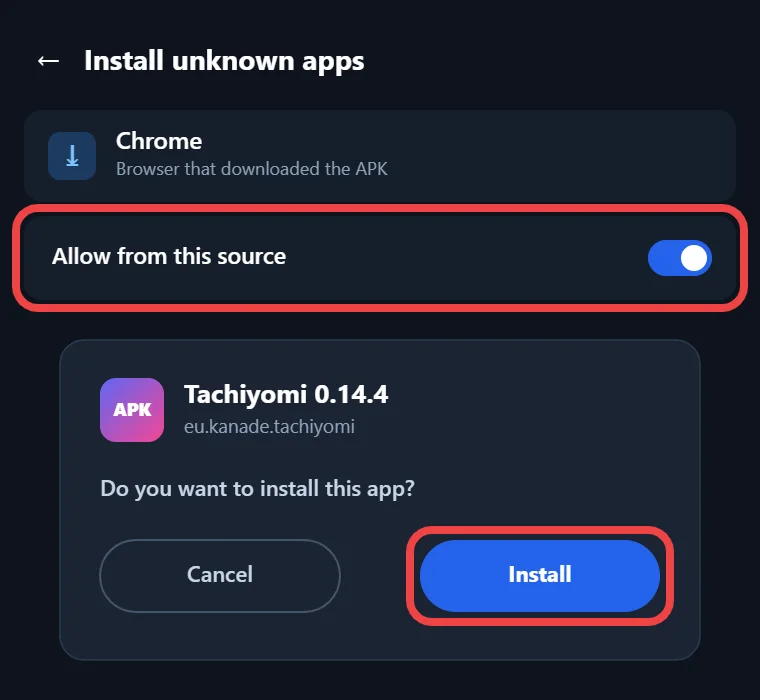
- Download the APK file that fits your phone from the button above.
- Open your phone settings and allow Install unknown apps for the browser or file manager you used.
- Open the downloaded APK, tap Install, and wait for Android to finish before you open the app for the first time.
If Android shows an “App not installed” error, it usually means a different build of the same package, eu.kanade.tachiyomi, is already on your phone, so you need to back up and remove that copy before this one will install. Google Play Protect may also show a warning, because the app does not come from the Google Play Store, and you can still choose to install it once you have checked the file. Newer phones are fine as well, since Android 14 only blocks apps that target an API level below 23, and this build targets API 29, which is Android 10.
Features
Key Features of Version 0.14.4
Each feature below comes from the 0.14.4 source code, so you know exactly what you get when you open the app.
Six Reading Modes
The reader gives you six ways to read: Default, Left to right, Right to left, Vertical, Webtoon, and Continuous vertical. Right to left suits most Japanese manga, while Webtoon and Continuous vertical work better for long-strip comics, where you scroll down instead of turning pages. Default simply follows the main mode you set, so you can still change it for one series.
Library, Categories and Offline Downloads
Every series you follow sits in your library, and you can sort it into your own categories, such as Reading, Completed, or Plan to Read. Chapters can be downloaded for offline reading, which helps on long trips or with weak mobile data. The Local source also lets you read manga files that you already keep on your phone, without any extension.
Nine Built-In Trackers
The app can sync your reading progress with nine services: MyAnimeList, AniList, Kitsu, Shikimori, Bangumi, MangaUpdates, Komga, Kavita, and Suwayomi. The first six are online manga lists, while Komga, Kavita, and Suwayomi connect to servers that people host on their own computers. Once you log in, each chapter you finish can update your list on that service.
Built-In Extension List
In this version, the extension list is fixed inside the app and points to the tachiyomiorg repository on GitHub, with a jsDelivr mirror as a backup when GitHub does not respond. There is no option to add a custom extension repo, so the app can only show extensions from that one official source, and that detail matters a lot today.
Compare
Where 0.14.4 Fits in the Tachiyomi 0.14 Series
Version 0.14.4 is a small point release in the middle of the 0.14 series, and its dates show how quickly the team was shipping updates at that time. Version 0.14.3 came out on January 7, 2023, then 0.14.4 followed on February 5, 2023, and 0.14.5 arrived only two weeks later on February 19, 2023. Point releases like this one sit between bigger updates and usually carry smaller fixes, which is why the gaps were measured in weeks rather than months. We could not confirm the official changelog for this build, because the original repository is gone, so we will not list fixes that we cannot prove. If you want the build that came right after it, the 0.14.5 page covers that release.
Who it’s for
Why Choose This Version
Tachiyomi 0.14.4 makes the most sense for people with a phone on Android 6.0 to 7.1, because Mihon needs Android 8.0 or newer and will not install on those devices. If you need Tachiyomi for Android 6.0 and mainly plan to read chapters you already downloaded or manga files stored on your phone, this build still does that job. Some readers also want this Tachiyomi old version to match an older setup on a second device, and testers use it to see how the app looked and behaved back in early 2023. On the other hand, if your phone runs Android 8.0 or higher, Mihon is the better choice, because it still gets updates, works with the Keiyoushi extension store, and can restore your Tachiyomi backup.
2026 status
Does Tachiyomi 0.14.4 Still Work in 2026?
The short answer is yes, but only partly, because some parts of the app depend on servers that no longer exist.
What Still Works
The app still opens and runs on supported phones, and your existing library stays where it was. Chapters you downloaded earlier can be read offline, and the Local source still reads manga files saved on your storage. All six reading modes work as before, you can still sort your library into categories, and you can still create a backup file, which is the most useful thing to do if you plan to move your library to another app later.
What No Longer Works
With Tachiyomi discontinued since January 13, 2024, the built-in extension list no longer works, because the repository it pulls from was shut down. You also cannot add Keiyoushi, the community extension store, since this version has no option for custom repositories, and Keiyoushi only supports Mihon 0.20.1+, TachiyomiSY 1.13.2+, and Komikku 1.14.1+. Older Tachiyomi apps that do manage to add it only see placeholder entries named “Outdated App” and “Update to Mihon 0.20.1+”. On top of that, the app gets no updates or security fixes, so reading from online sources is no longer practical on this build.
Move to Mihon
Moving From Tachiyomi 0.14.4 to Mihon Without Losing Your Library
If your phone runs Android 8.0 or newer, moving to Mihon keeps your library, categories, tracking, reading history, and app settings, and the steps below follow Mihon’s own backup guide. Start by creating a backup in Tachiyomi 0.14.4 and copying that file to your computer or cloud storage, since Mihon reads both the .tachibk and .proto.gz backup formats. Next, install Mihon v0.21.2, which was released on October 13, 2026, then go to More, Settings, Browse, Extension store, tap Add, and paste the Keiyoushi URL: https://github.com/keiyoushi/extensions/raw/repo/index.pb. After that, install the extensions you need and log in to your trackers, then open More, Data and storage, and pick your backup file, where the Restore screen will list anything still missing.
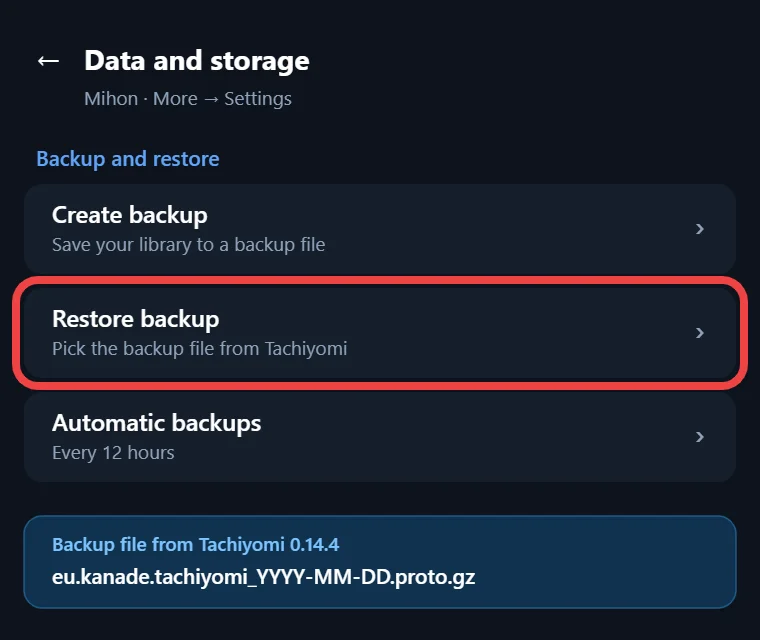
Backups do not include extensions, downloaded chapters, or custom covers, so your downloads need one extra step if you want to keep reading them offline. Copy them into the downloads folder of Mihon’s storage location, then open More, Settings, Advanced, and tap Reindex downloads.
One warning matters here: v0.21.2 is the last major Mihon version that accepts Tachiyomi backups, so restore your file on it before you update to anything newer, or you may have to come back to this version just to do the restore.
More versions
Other Tachiyomi Versions
If this build is not the one you need, our other version pages cover 0.14.3, 0.14.5, 0.14.6, 0.14.7, and the 0.15.0 to 0.15.3 releases, and each page lists its own specs so you can compare them before you download.
FAQ
FAQs
1. Is Tachiyomi 0.14.4 safe to download?
It is safe when the file is the real one, but no official host remains, so where you get it from matters. Before you install, check that the package name is eu.kanade.tachiyomi and that the SHA-256 hash matches the value shown in our download section.
2. Can I add Keiyoushi extensions to Tachiyomi 0.14.4?
No, because this version has no setting for adding a custom extension repo, and Keiyoushi is built for newer apps such as Mihon, TachiyomiSY, and Komikku. If you want those extensions, you will need to move your library to one of these three apps first.
3. Will Tachiyomi 0.14.4 install on Android 14?
Yes, because Android 14 only blocks apps that target an API level below 23, but this build targets API 29, so the system lets it install. You may still need to accept a Play Protect warning first, because the app comes from outside the Google Play Store.
4. Can I restore my Tachiyomi 0.14.4 backup in Mihon?
Yes, because Mihon reads the backup formats that Tachiyomi uses, so your library, categories, tracking, and history come back. Do the restore on Mihon v0.21.2, because the next major version drops support for Tachiyomi backups, and remember that extensions and downloaded chapters are not included.
5. Is there a Tachiyomi app for iPhone?
No, because Tachiyomi was only made for Android, and Mihon is Android only as well, with no iOS version planned. Mihon’s own FAQ warns that any app calling itself Mihon for iOS is a scam, so stay away from App Store listings that use these names.
Final thoughts
Final Thoughts
Tachiyomi 0.14.4 still has a place on phones running Android 6.0 to 7.1, where it can still read your downloaded chapters and local manga files even though the project ended in January 2024. Its extension list is gone and it will never be updated again, so it works best as a simple reader for the manga you already have saved. If your phone runs Android 8.0 or newer, make a backup today, install Mihon v0.21.2, and restore your library there while that version still accepts Tachiyomi backups.