
Tachiyomi APK guide · Updated October 2026
Tachiyomi: The Ultimate Free Manga Reader App for Android in 2026
Tachiyomi earned its name as the free manga reader app that Android users kept recommending to each other, because it pulled thousands of series from different sources into one clean library without charging a cent or showing a single ad. The original project stopped on January 13, 2024, but the app did not really disappear, since its code lives on in Mihon, an open-source successor that reached version 0.21.2 on October 13, 2026. When people search for Tachiyomi today, Mihon is the app they end up installing, and it keeps everything that made the old reader special while adding features the original team never got to ship. This guide walks you through the full picture, from why the shutdown happened to installing the right APK, adding the Keiyoushi extension store, building your manga library, reading offline, backing up your data and picking a fork if you want something different.
- Android guide
- Updated Oct 2026
- 6 FAQs
In this guide
Complete 2026 guide for Android
Updated October 2026Overview
What Is Tachiyomi?
At its core, the app is a manga reader app for Android that does not host any comics itself. Instead, it relies on small add-ons called extensions, and each extension connects the app to a website or service that publishes manga, manhwa, webtoons or comics. You browse those sources inside one interface, add the series you like to your library, and the app remembers where you stopped reading.
That simple idea made Tachiyomi a favourite among Android readers for years, mainly because the whole project was free, open source and run by volunteers who never filled it with ads or paywalls. Its reader handled both classic page-by-page manga and long vertical webtoons, and it let you download chapters, sort your collection into categories and sync your progress with sites like MyAnimeList and AniList. That run ended in January 2024, and the next section explains what changed and why the app you install today carries a different name.
Overview
Does Tachiyomi Still Work in 2026?
The short answer is no, at least not in the way most people hope. On January 13, 2024, the team behind the project posted an announcement saying that “Tachiyomi will no longer be actively developed.” The reason they gave was threats from Kakao Entertainment directed at the maintainers and other people linked to the project. Since the app was a volunteer hobby with no money behind it, the developers decided that carrying on was not worth the risk.
After that announcement, official extensions lost their support and the tachiyomiorg repositories on GitHub were archived, which means nobody fixes bugs or updates that code anymore. You can still open an old copy on your phone, but it becomes less useful every month. If you add the Keiyoushi store to an old 0.15.x build today, you will not see real extensions at all, because the store only shows “Outdated App” and “Update to Mihon 0.20.1+” placeholders.
This is where Mihon comes in, because it continues the same project under a new name, keeps the familiar layout and works with the same kind of extensions, so moving over feels natural rather than like learning a new app. Its latest stable release, version 0.21.2, arrived on October 13, 2026, and it keeps receiving regular fixes and new features. For the rest of this guide, every step you read applies to Mihon, because that is the version of the app that still works in 2026.
Compare
Why Choose Tachiyomi?
The biggest reason is cost, because Mihon is completely free and released under the Apache License, so anyone can read its code on GitHub and nobody can lock features behind a subscription. There are no ads breaking up your chapters either, which makes a real difference when you read for hours at a time.
The second reason is choice, since through the Keiyoushi extension store the app can reach about 2,393 sources spread across 1,420 extensions, which is far more than any single manga site offers on its own. Because every source sits inside the same library, you can follow a Japanese manga, a Korean manhwa and a webtoon side by side without jumping between apps.
The third reason is control over how you read, because you can track your progress automatically with services like MyAnimeList, AniList and Kitsu, download chapters to read manga offline, and adjust the reader with color filters, themes and different reading modes. If you have tried other apps and felt boxed in by their layout or their limits, this level of freedom is usually what wins people over.
Guide
Important: Android Only
Mihon works only on Android, and your phone or tablet needs Android 8.0 or higher to install it. There is no iOS version and the developers have no plans to build one, so any app calling itself “Mihon for iOS” or an iPhone version of Tachiyomi is not official and should not be trusted with your data.
You also will not find the app on the Google Play Store. The reason is that Mihon loads extensions as separate APK files, and that system conflicts with Google’s content policy, so the developers chose to share the app directly instead. This is why the download process looks a little different from what you may be used to, and the next section covers it step by step.
Download
How to Download and Install Tachiyomi
Stable, Nightly or FOSS: Which APK to Pick
The official download page at mihon.app offers three builds, and all of them are APK files hosted on GitHub. The Stable build is the one most people should pick, because it is the version recommended for daily use. Nightly gives you the newest features first, but it may contain unfinished parts or stability issues, while FOSS is built fully from open-source code for readers who care about that.
Installation Steps
Installing an app from outside the Play Store takes a few extra taps, but the process stays simple when you follow these steps in order:
- Open mihon.app on your phone, go to the Download page and tap the Stable build to save the APK file.
- Open the downloaded file from your notifications or your file manager.
- If Android asks for permission, allow your browser or file manager to install unknown apps, then go back to the file.
- Tap Install and wait until Android confirms that the app is ready.
- Open Mihon from your app drawer, and you are ready to set it up.
Only download from mihon.app or the official GitHub releases page. Many websites offer a Tachiyomi APK and label themselves as “official,” yet these files may be outdated or modified, and you have no way to check what was added to them. Sticking with the official source protects your phone and makes sure you get the latest fixes.
Guide
Setting Up Tachiyomi
Adding the Keiyoushi Extension Store
Mihon does not come with any extensions, so a fresh install shows an empty Browse screen until you add a store. Most readers use Keiyoushi, which supports Mihon 0.20.1 and newer, along with TachiyomiSY 1.13.2+ and Komikku 1.14.1+. To add it by hand, follow this path:
- Open More, then Settings, then Browse.
- Tap Extension store, then tap Add.
- Paste this URL: https://github.com/keiyoushi/extensions/raw/repo/index.pb
- Confirm, and the store will load its list of extensions.
- Go back to Browse and open the Extensions tab to see everything it offers.
If you are on Mihon 0.21.2 or newer, there is an easier route, because the Keiyoushi website has an “Add store” button that sets everything up in one tap. Older guides may call this an “extension repo,” but Mihon renamed it to “extension store” in version 0.20.0, so both names point to the same thing.
Installing Your First Extensions
The Extensions tab now shows the full Keiyoushi list, which includes 481 English extensions, and since version 0.21.0 each one installs and updates only from the store it came from. Before installing anything, check your content preferences, since Mihon 0.21.0 replaced the old NSFW toggle with three levels called Safe, Mixed and 18+. Pick the level that suits you, then install two or three popular sources first so you can test how well they load before adding more.
Connecting Your Trackers
Trackers save your reading progress on an outside service, so your history stays safe even if you change phones. Mihon supports MyAnimeList, AniList, Kitsu, MangaUpdates, Shikimori, Bangumi, MangaBaka, Hikka and Comick, and once you log in, each chapter you finish updates your list automatically. Comick appears here as a manga tracker rather than a source, because Keiyoushi has no official Comick extension.
Features
Adding Manga to Your Library
With a few extensions installed, finding series to read takes only a minute. Open the Browse tab, tap a source and you will see its Popular and Latest lists, which are handy when you want ideas, or you can use the search bar when you already know the title you want. Tap any series to open its details page, read the summary, and then tap “Add to library” to save it.
If you are not sure which source carries a series, global search saves time. Go to Browse, stay on the Sources tab and tap the search icon, and Mihon will search every installed source at once. Keep in mind that some sources list titles in romanized Japanese instead of English, so the name you know may appear under its original Japanese title, and spelling can also change from one source to another. Trying both versions of the name usually finds what you are looking for.
Features
Organizing Your Library
A library with fifty series becomes messy fast, which is why Mihon lets you sort everything into categories. You might keep one category for ongoing series, another for completed ones and a third for titles you plan to start later, and you can move a series between categories whenever its status changes, so the list always matches what you are reading.
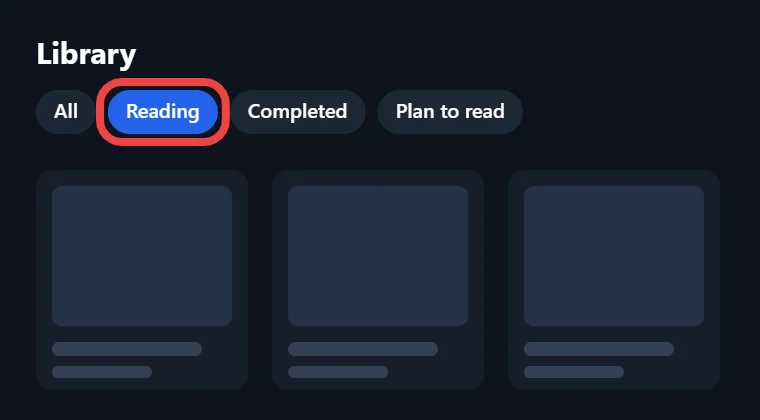
Search has also become much smarter, because since version 0.20.2 the library search supports logical operators, comparison operators and field prefixes, so you can narrow results by specific details instead of typing a title and hoping for the best. This helps a lot once your collection grows into the hundreds.
Version 0.20.3 added category filtering to the Updates tab and the Upcoming calendar as well. That means you can look at new chapters for just one category, such as your weekly favourites, without scrolling past everything else in your manga library.
Features
Reading Manga Offline
Downloads are one of the best reasons to use this app, because they let you read manga offline on flights, on the subway or anywhere your signal drops. Open a series, select the chapters you want and download them, and they will stay on your phone until you delete them.
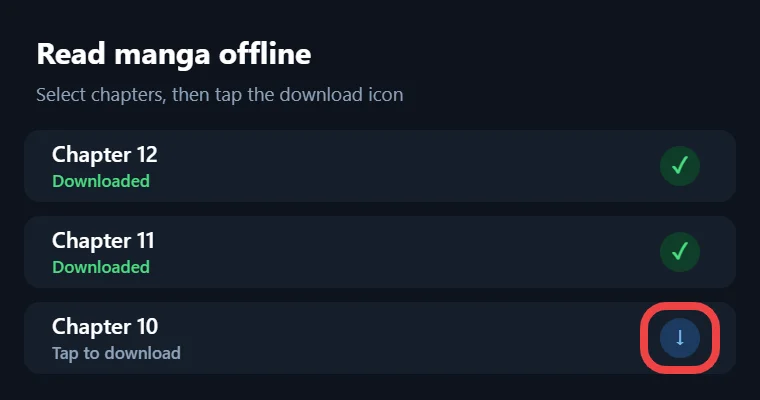
Version 0.20.2 made downloads resumable for supported sources, so a weak connection no longer forces you to restart a chapter from zero. If you worry about mobile data, the “load ahead only on Wi-Fi” option added in version 0.21.0 stops the reader from preloading pages unless you are connected to Wi-Fi.
You can also read files you already own through the local source. Mihon reads chapter dates from ComicInfo.xml files, so your personal collection shows up in the right order next to everything else in your library.
Updates
Keeping Up With Updates
Mihon checks your library for new chapters on its own, just as Tachiyomi did, so you do not have to open every series to see whether something new came out. Fresh chapters appear in the Updates tab, where you can open them straight away or download them for later.
Version 0.21.0 made these checks smarter by matching the next update time to each series’ own release schedule. Instead of checking every title on the same fixed timer, the app now spaces its checks around how often each series actually releases new chapters. The Upcoming calendar adds one more layer, since it shows which series are expected to update soon, so you can plan your reading week instead of refreshing the app again and again, and you can filter it by category too.
Features
Customizing Your Reading Experience
Every reader has different habits, and Mihon gives you enough settings to make the app feel like your own. The reader comes in paged modes for traditional manga and a long strip mode for webtoons and manhwa, so vertical comics scroll smoothly instead of breaking into awkward pages, which makes it a comfortable webtoon reader as well.
Custom color filters change the tint of the screen, which many readers find easier on the eyes during late-night sessions. For wide double-page spreads, the “split wide pages” option cuts them into two readable halves on a small screen. Mihon also includes a vertical chapter navigator, and version 0.20.1 added options to choose which readers show it and how tall it should be. Behind the scenes, version 0.21.0 also made the reader preload pages and the next chapter, so moving from one chapter to the next feels quicker than it did on the old app.
If you care about how the app looks outside the reader, the Tokyo Night theme added in version 0.20.2 gives the interface a dark, calm color scheme. Small changes like these add up quickly, and after a week of trying different settings, most people find a setup that fits the way they read.
Mihon
Migrating Manga Sources
Sources come and go, and sometimes a site you depend on stops working or disappears from the store. When that happens, Mihon marks the extension as “orphaned,” a label that replaced the older word “obsolete” in version 0.20.0, and that is your sign to move the affected series somewhere else.
The Migrate screen under Browse handles this for you, so open it, pick the source that has problems, choose the series you want to move and let Mihon search your other installed sources for matching titles. Once you confirm a match, the series moves to the new source while keeping its place in your library and your reading progress, so you can carry on from the same chapter.
This feature also helps when you switch from old Tachiyomi extensions to the Keiyoushi store, because Browse → Migrate shows which titles are still linked to extensions you no longer have installed.
Mihon
Backing Up Your Library
Creating and Restoring a Backup
A backup protects months or even years of reading history, and making one takes less than a minute. Go to More, then Data and storage, tap Create backup and choose where to save the file. The backup includes your library entries, chapters, tracking, history, categories and app settings, but it does not include downloaded chapter files, extensions or custom covers, so keep those in mind.
It is smart to turn on automatic backups in the same menu, which saves copies to an “autobackup” folder on a schedule you choose. When you need to restore, log in to your trackers and install the extensions you used before, then pick the backup file from Data and storage.
The .tachibk Deadline in Mihon v0.21
This part matters if you still have old backup files lying around. Mihon 0.21.0 is the last major version that supports Tachiyomi’s .tachibk backup format and Tachiyomi 1.4 extensions, and future versions will drop both. If you have an old .tachibk file, restore it on a 0.21.x release first, let the restore finish, and only then update to a newer version. Once your library lives inside Mihon, you can create a fresh backup from Mihon itself and keep that file as your new safety net. Restoring also keeps your furthest read progress, so you will not lose your place in any series.
Mihon
Moving From Old Tachiyomi to Mihon
If an old copy of the app still holds your library, moving to Mihon goes smoothly when you follow this order:
- Open your old app, create a backup from its backup and restore settings and save the file somewhere easy to find.
- Install Mihon 0.21.x and restore that backup from More → Data and storage.
- Copy your downloaded chapters into the “downloads” folder inside Mihon’s storage location.
- Go to More → Settings → Advanced and tap Reindex downloads so Mihon finds those chapters.
- Uninstall any old extensions, restart the app, add Keiyoushi and reinstall your sources from there.
After that, open Browse → Migrate to check whether any series still points to a missing extension, and move those titles to a working source. Since the backup brings back your library, history and trackers, your reading lists should look the way you left them in Tachiyomi. Settings from forks may not carry over, so take a quick look through your reader options once everything is in place.
Alternatives
Alternative Versions of Tachiyomi (Forks)
Forks are separate versions of the app built from the same code, each with its own features or design. Mihon is the main continuation, but several Tachiyomi forks are still around, and the table below shows where each one stands in 2026.
| Fork | What makes it different | Latest known version | Keiyoushi support |
|---|---|---|---|
| TachiyomiSY | Follows Mihon closely and adds extra features | 1.13.2, based on Mihon 0.20.1 | Yes |
| Komikku | Mixes features from SY and Mihon with its own style | 1.14.1 | Yes |
| TachiyomiJ2K | Redesigned interface with other improvements | Not listed | No official support |
| Yōkai | Builds on the best features of J2K | Not listed | No official support |
| TachiyomiAZ | Keeps the original look with a hamburger menu | Not listed | No official support |
The support column matters more than it seems, because Keiyoushi only supports Mihon 0.20.1+, TachiyomiSY 1.13.2+ and Komikku 1.14.1+. Other forks may still run extensions, but if something breaks, you will not get help from the store. TachiyomiSY 1.13.2 also dropped Android 6 and 7, so phones on those versions cannot run its latest release. For most readers, Mihon itself is the safest Tachiyomi alternative, and a fork only makes sense when you want a specific feature it adds. If you do try one, back up your library first, because fork-specific settings may not restore cleanly when you switch apps later.
PC
Tachiyomi for Desktop
There is no official desktop version of this app, and the original team never released one either. Mihon is built only for Android, so you will not find a Windows or Mac download on mihon.app or on its GitHub page. Some websites still promise a desktop build or a ready-made .exe file, but since no official one exists, those downloads come from unknown people and could contain anything. If you want to read on a bigger screen, an Android tablet running Android 8.0 or higher is the simplest choice, because it runs Mihon exactly the way your phone does.
Fixes
Common Problems and Quick Fixes
Most problems have simple causes, and the error message usually tells you which one you are facing, so read it carefully before you try random fixes.
- “Outdated App” in the extension list: you are still on an old 0.15.x build, and the only real fix is moving to Mihon.
- INSTALL_FAILED_UPDATE_INCOMPATIBLE: the same extension is already installed from a different source, so uninstall that copy and try again.
- “DISPLAY_NAME column is null”: the APK file is corrupted, and downloading it again fixes the problem.
- Cloudflare blocks a source: open that source in WebView and pass the check, and if the block stays, clear cookies and WebView data or change the user agent.
- HTTP errors: a 403 means the site blocked the request, a 429 means too many requests went out too quickly, a 5xx code points to a server problem on the site’s side, and 1020 means Cloudflare’s firewall stopped you.
When an error keeps coming back after these fixes, the source itself may be down, which is a good moment to migrate the series to another source.
Safety
Is Tachiyomi Safe and Legal?
The app itself is safe when you download it from the official places, meaning mihon.app and the Mihon releases on GitHub. Because the code is open source, anyone can inspect it, which closed apps cannot offer. The real risk comes from fake “official” APK sites, since a modified file can carry anything and you would have no easy way to tell.
The legal side depends on what you read rather than on the app, because Mihon is only a reader and the content comes from the sources you choose to install. Reading through sources that hold the rights to their titles keeps you on safe ground, while unofficial sources may not. Laws differ by country, so check the rules where you live, since this guide cannot give legal advice.
FAQ
FAQs
1. Does Tachiyomi still work in 2026?
Not really, because development stopped on January 13, 2024 and old builds now show “Outdated App” placeholders in the Keiyoushi store. Mihon, its direct continuation, works fully in 2026 and reached version 0.21.2 in October.
2. Why did Tachiyomi shut down?
The team pointed to threats from Kakao Entertainment against the maintainers and people linked to the project. Since it was an unpaid volunteer hobby, they decided the risk was not worth it and archived their GitHub repositories.
3. Can I use Tachiyomi on iPhone?
No, because neither the original app nor Mihon has an iOS version, and there are no plans for one. Any app shared as an iPhone version is unofficial, so it is best to stay away from it.
4. Can Tachiyomi read light novels?
No, since Mihon only reads images and cannot handle text-based novels. It also cannot stream anime, so it works best for manga, manhwa, webtoons and comics, which are all image-based formats.
5. Why isn’t Tachiyomi on the Google Play Store?
Mihon installs extensions as separate APK files, and that system conflicts with Google’s content policy. The developers share the app through mihon.app and GitHub instead, which are the only safe places to download it.
6. Can I move my old Tachiyomi library to Mihon?
Yes, as long as you create a backup in your old app and restore it in Mihon 0.21.x. Version 0.21 is the last major release that reads .tachibk files, so restore before updating further.
Final Thoughts
Final Thoughts
Tachiyomi changed how many Android users read manga, and even though the original project ended in 2024, its work continues through Mihon in a form that is faster and better maintained than before. You get a free manga reader app with no ads, thousands of sources through Keiyoushi, solid tracking, offline downloads and backups that protect your library. Start with the Stable build from mihon.app, add the extension store, back up your data early and restore any old .tachibk files while you are still on version 0.21. That simple routine keeps your library safe no matter what changes next.